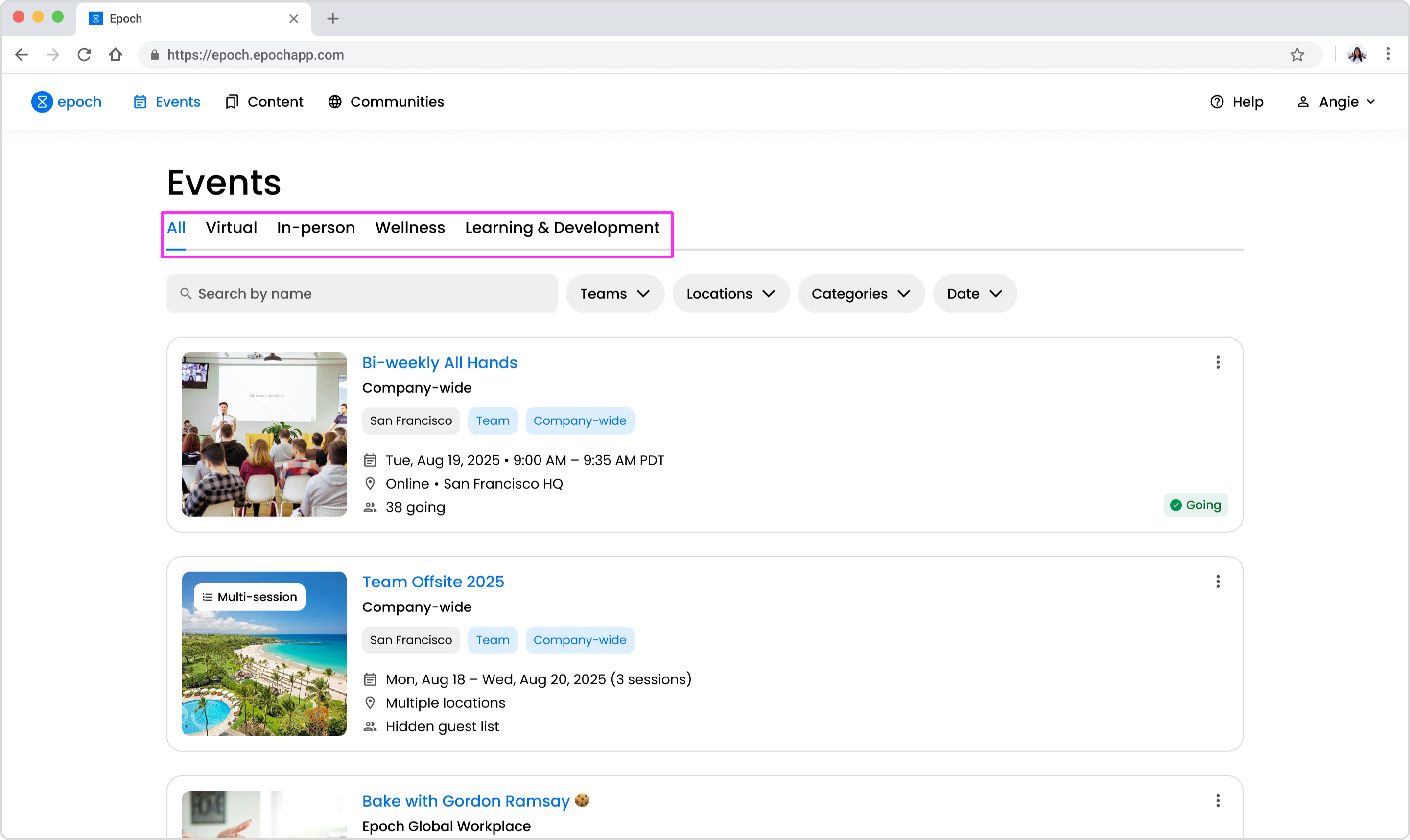
Categories are a way of categorizing your events. By tagging your events with categories, it allows employees to be able to filter all events on the web app by the category. Categories also make it useful to group events together when analyzing event performance and metrics.
Adding categories to an event
Adding categories to an event in the legacy editor:
Create or edit an event.
On the Basics step, scroll to the Categories section bottom of the page.
Select the relevant categories from the dropdown.
Adding categories to an event in Epoch's legacy editor
Adding categories to an event in the new editor:
In the event editor, go to the Overview tab.
Scroll to the Categories section. Click the "Add category" button.
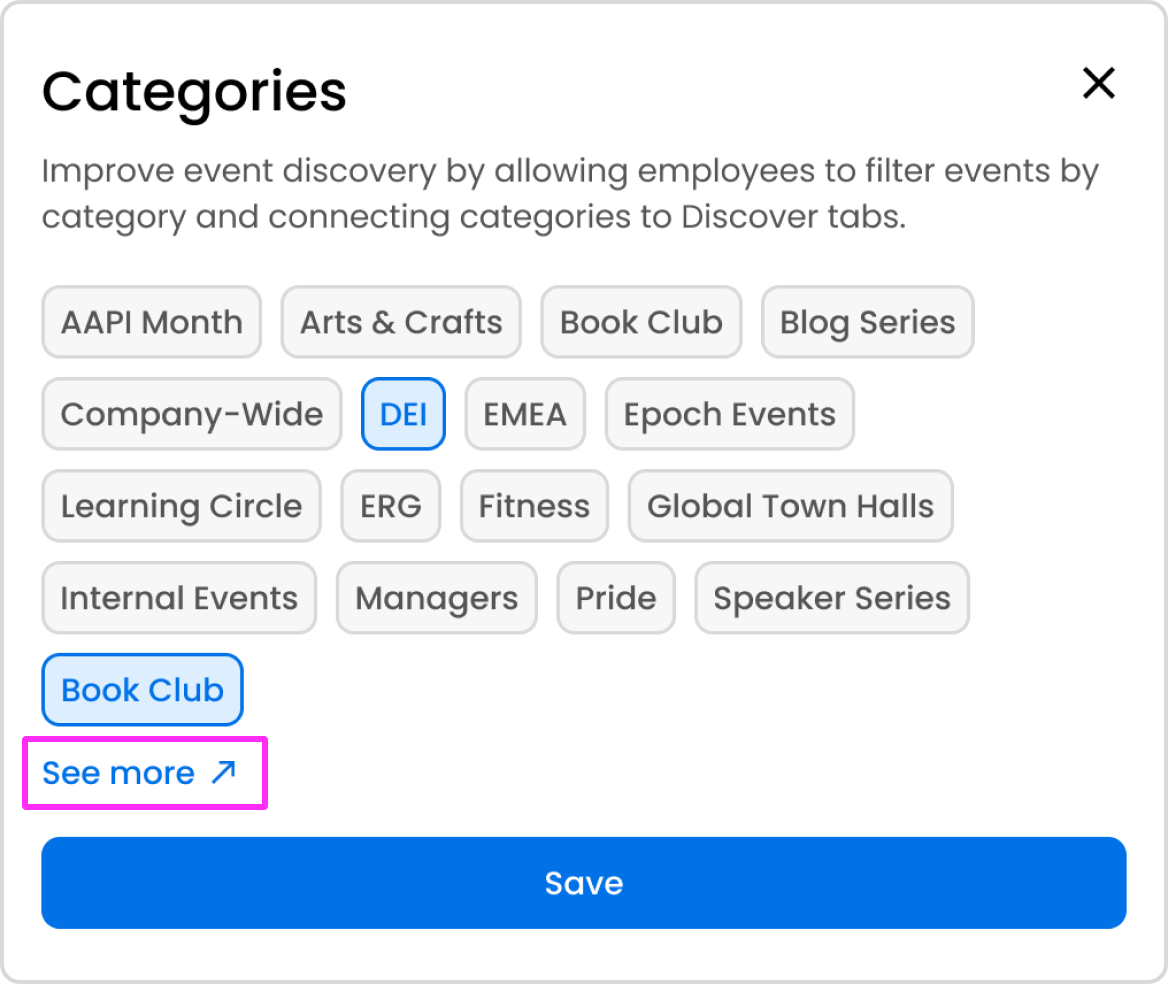
A modal will open and you will be able to select categories. The most frequently used categories will be displayed. To see additional categories, click the "See more" link.
Select the relevant categories.
Adding categories to an event in Epoch's new editor
Can I add new categories or customize the categories that appear as tabs on the Events Discover page?
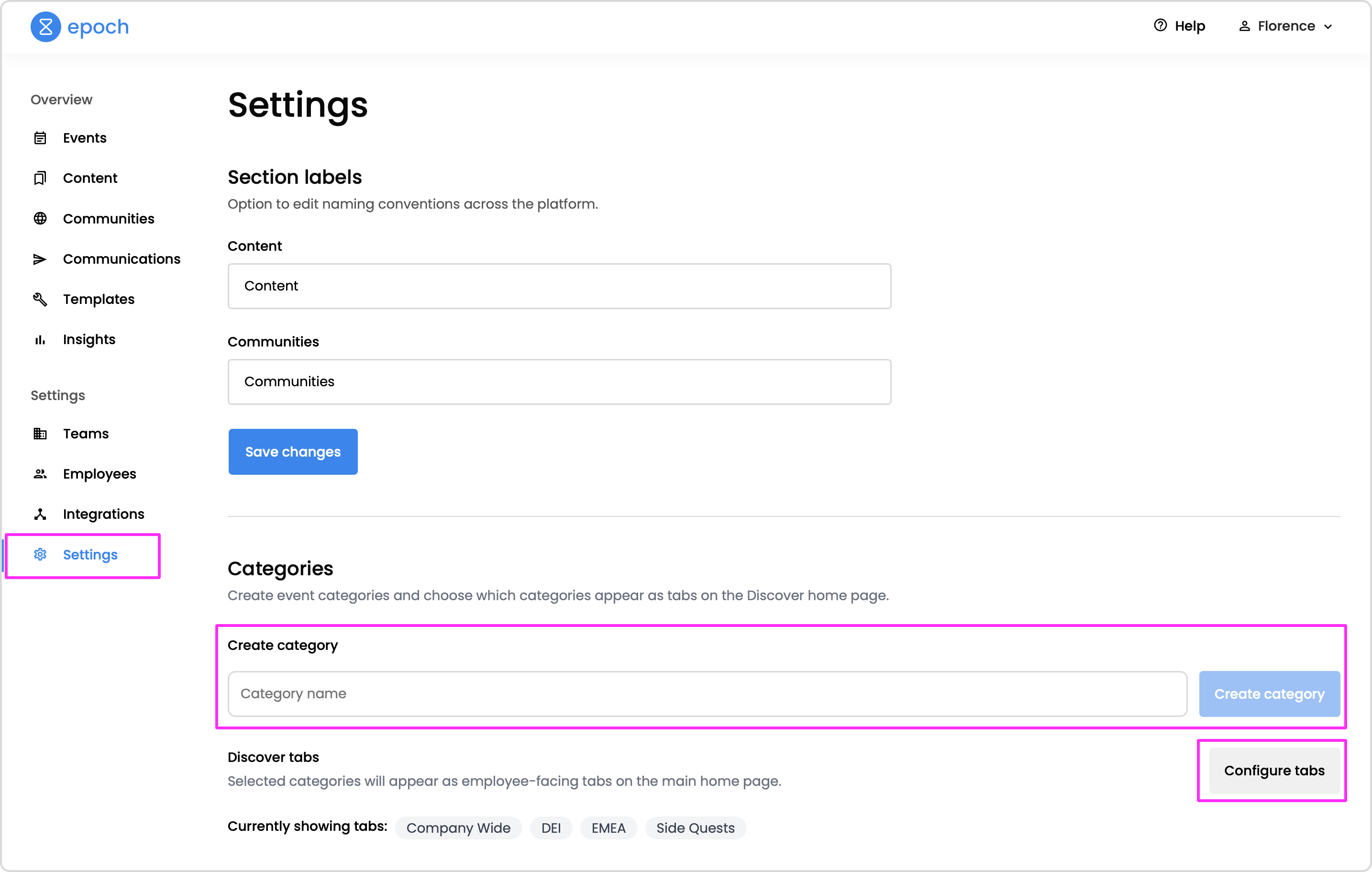
To add new categories or to customize the categories that show up as tabs on the Events Discover page in Epoch, you must be a super admin.
Go to the Dashboard.
On the left side of the screen, click Settings.
Scroll to the Categories section.
To add a new category, type in the new category name and click the Create category button.
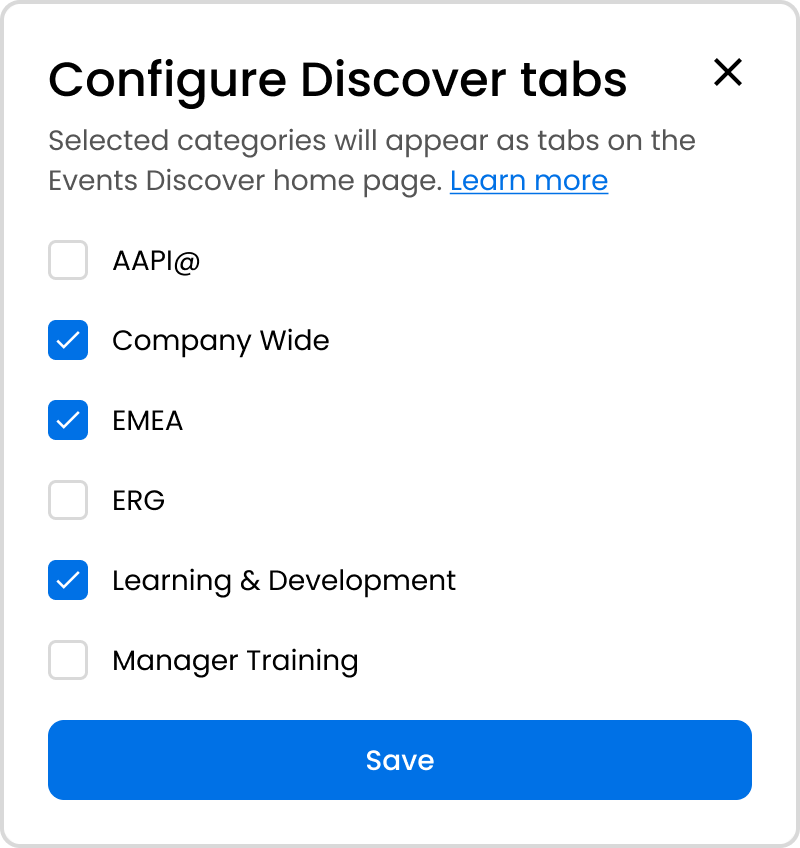
To customize the tabs on the Discover page, click the Configure tabs the categories button. A modal will open. Select the categories you would like to appear on the Discover page. De-select the categories that you would like hidden on the Discover page.
Configuring tabs will customize the categories that appear on the Events Discover page
Want access to a beta feature?
Get in touch with our customer experience team. We'll reach out with next steps.