Canceled events remain on Epoch for 30 days after the event was canceled. They can be duplicated, or restored depending on the event settings at the time the event was canceled.
How do I cancel a draft event?
Only published events can be canceled. If your event is in draft form, delete the draft event instead.
In the editor, go to the top right and click the Draft button.
From the dropdown, select Delete draft event. Note that once a draft event is deleted, it can't be restored.
How do I cancel a published event?
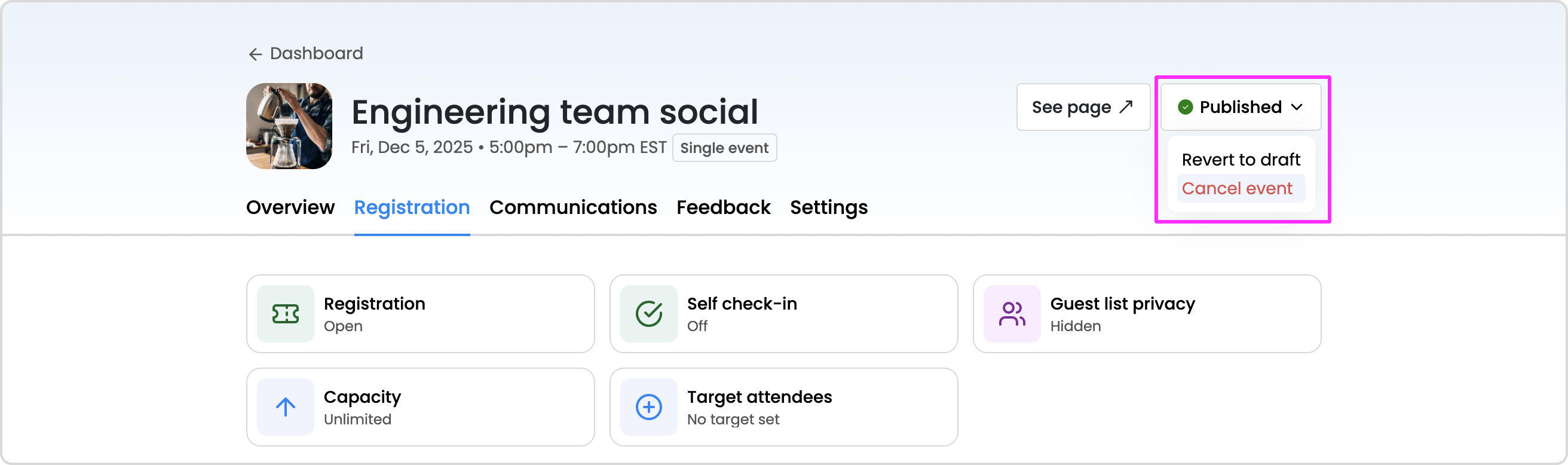
In the editor, go to the top right and click the Published button.
From the dropdown, select Cancel event.
A modal will appear, and you can choose to notify guests of the cancelation via email and Slack by clicking to enable the toggle. You'll also have the option to include a custom message.
Where can I locate canceled events?
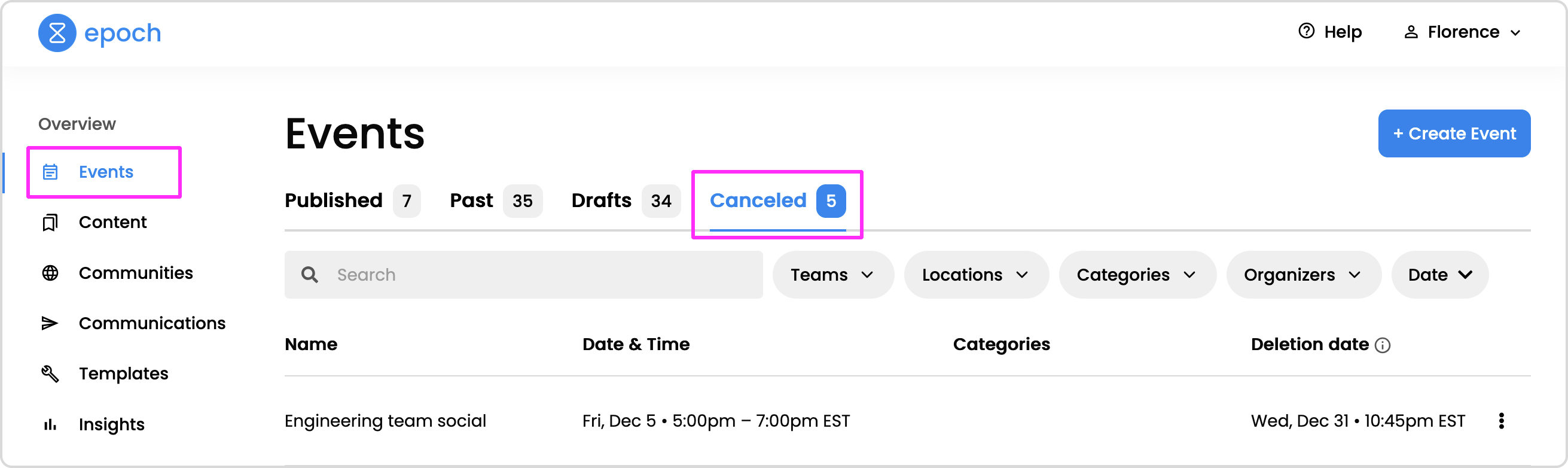
Canceled events will appear in the events dashboard, in the "Canceled" tab.
How long are canceled events saved in Epoch?
Canceled events are retained in Epoch for 30 days after the event was canceled. After 30 days, the canceled event will be removed from Epoch.
How do I restore a canceled event?
Go to the Event dashboard
Click on the Canceled tab
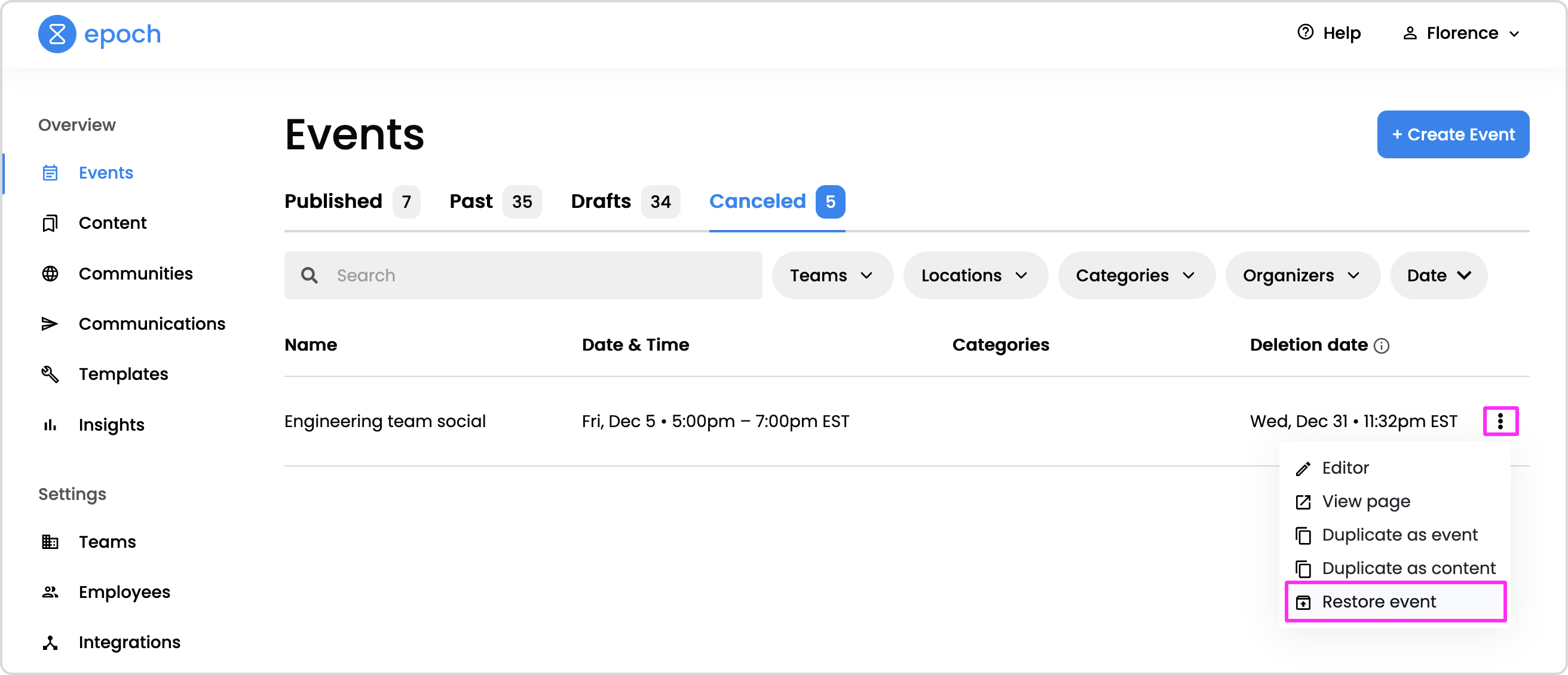
Locate the event you would like to restore and click the the more icon (three dots) on the right side of the row. In the dropdown, click Restore event.
Why is the "Restore event" option is disabled?
If an Outlook calendar event was created for the event, it cannot be restored. Due to the nature of a canceled Outlook calendar event, Epoch can't restore the event as an active event.
To retain the event details of a canceled event that cannot be restored, duplicate the event instead.
How long do I have to restore a canceled event?
In general, canceled events remain on Epoch for 30 days before they are removed. During this time, you'll be able to restore the canceled event. There may be some restrictions when restoring an event if a calendar event was created in Google Calendar or Outlook Calendar.
Google Calendar:
You can restore a canceled event and its associated Google calendar event within 30 days of when it was canceled. However, guests can't be restored, and guests that RSVP-ed to the event prior to the cancelation won't be notified that the event has been restored. You'll need to invite guests to the event after restoring it.
Outlook Calendar:
If an Outlook calendar event was created for the event, it cannot be restored. Due to the nature of a canceled Outlook calendar event, Epoch can't restore the event as an active event.
If an Outlook calendar event was not created, you can restore the event within 30 days of when it was canceled. However, guests can't be restored, and guests that RSVP-ed to the event prior to the cancelation won't be notified that the event has been restored. You'll need to invite guests to the event after restoring it.
Want access to a beta feature?
Get in touch with our customer experience team. We'll reach out with next steps.