


Jun 1, 2026 8:01 PM
Add +1 guests feature allows employees registering for an event to bring plus ones. Enable this feature for events like holiday parties to collect headcount and other crucial logistic information.
The add +1 guests feature is currently available for single events.


How do guests add plus ones?
Guests have the option to add plus ones when they register for an event that has the add +1 guests feature enabled. They'll be able to add plus ones when registering via the event page or via Slack.
Can I enable this feature after an event already has registered guests?
Yes, turning on the feature to allow plus one guests after an event for session has confirmed guests will not affect the guest status guests that have already registered. If they would like to add plus one guests, they'll need to edit their registration.
They can do this on Slack or through the Epoch event page.
To notify guests that have already registered, you can send a custom reminder to guests with the "Going" and "Incomplete" guest status to add plus one guests. For more information about reminders, refer to this article.
Do plus one guests count toward the event capacity limit?
Yes, plus one guests are included in the guest list count to determine event capacity.
For example, if an event has a capacity limit set to 10 people and there are 5 employees registered as going, each with one plus one guest registered as going to the event, the event is at capacity (5 employees + 5 plus one guests). Any guest registering subsequently will be waitlisted.
How does waitlist work when there are plus one guests?
Waitlist release functions on a first come first served basis. This means that when a spot opens up, the guest at the top of the waitlist will automatically be released.
Plus one guests are added to the waitlist in the order they are registered. When a spot opens up, the employee they are are plus one guest of will receive a Slack message and/or email notifying them that their guest has been released from the waitlist. These notifications are sent based on the employee's profile and notification settings.
How does check-in work for plus one guests?
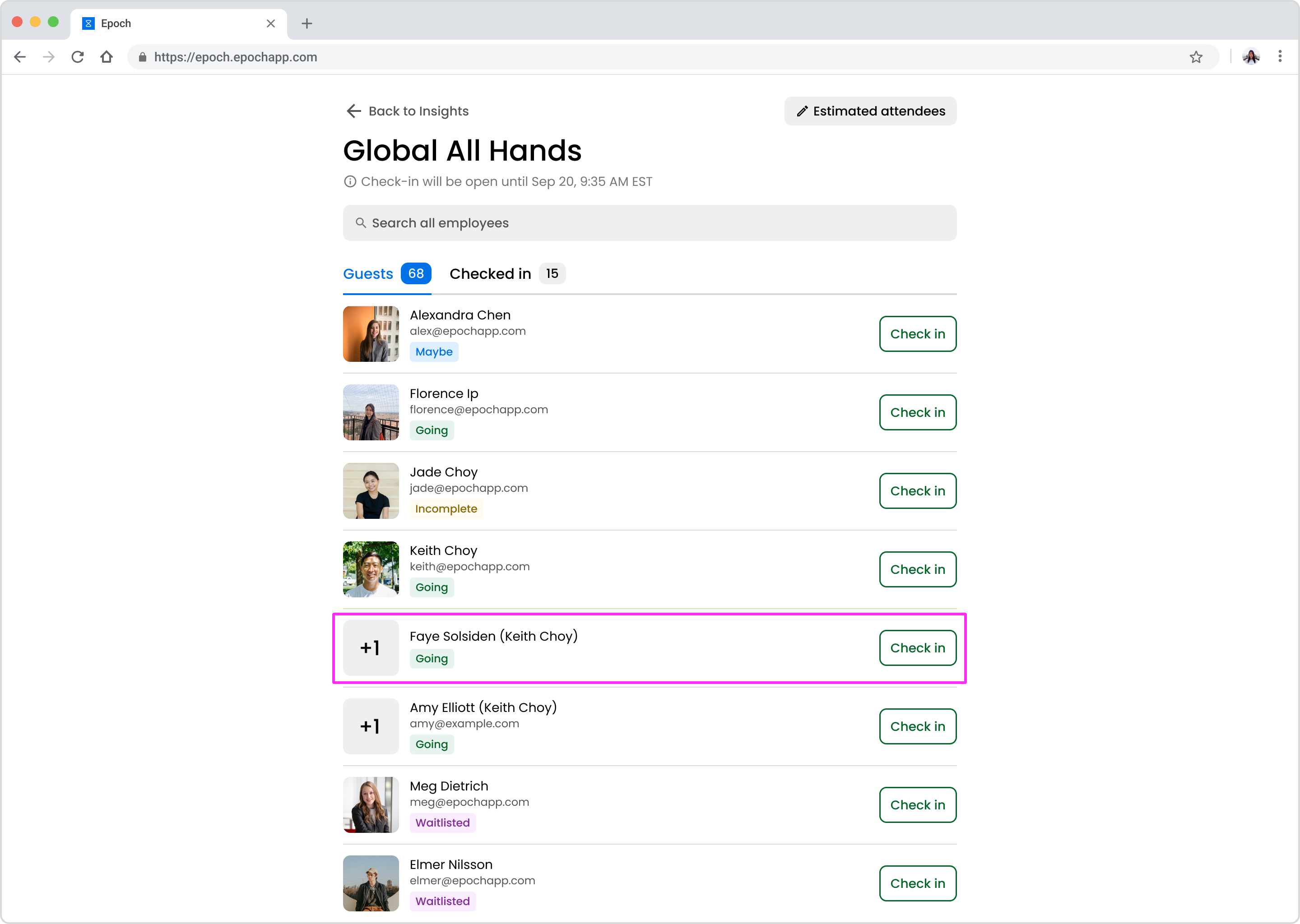
Plus one guests will appear on the list of guests to check in for an event. Plus one guests will have a "+1" profile image. You can search for them by name, or by the employee's name that they are a plus one guest of.
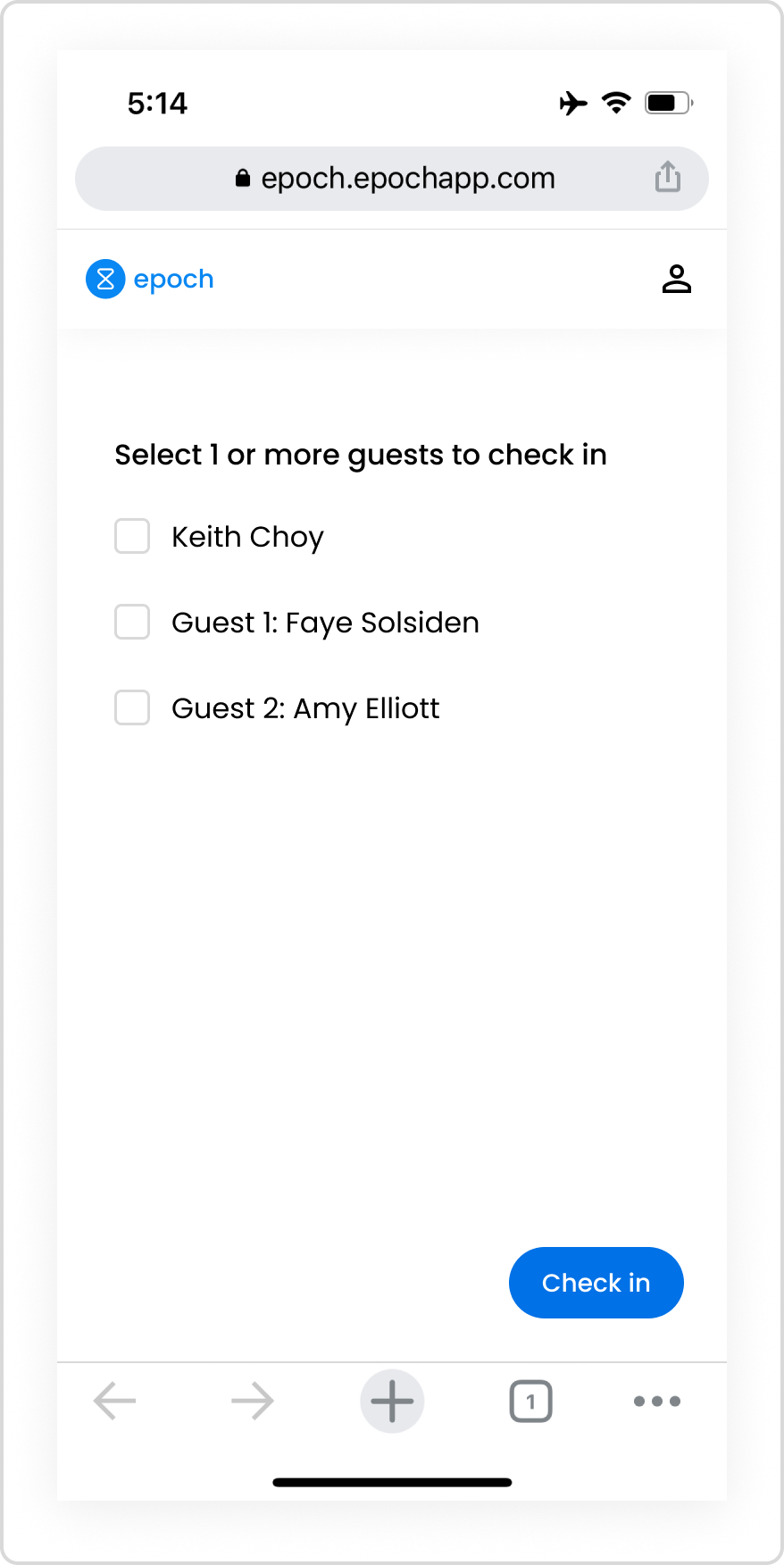
If the event has the self check-in feature enabled, registered guests can check in for themselves and their plus one guests.
Will lowering the number of maximum plus ones allowed per employee remove guests from an event?
When you edit the settings to change the maximum plus ones allowed, Epoch will take into account the number of registered plus ones per guest. If there are registered employees with plus ones that exceed the new maximum number of plus ones allowed, you'll be prompted to manually remove plus ones before you'll be able to update this setting.
For example:
Get in touch with our customer experience team. We'll reach out with next steps.
Contact us© 2026 Epoch Inc. All rights reserved.


